
OpenClaw 2.0 and Hermes Agent 0.21 landed on the same day, but they are not chasing the same finish line. OpenClaw is becoming a calmer control plane for long-running agent work. Hermes is becoming a society of agents that can talk, remember, delegate and operate across several surfaces.
The short verdict: choose OpenClaw 2 when the hard problem is continuity and operator control. Choose Hermes Agent 0.21 when the hard problem is orchestrating several persistent agents across models, tools and channels. Neither should receive production credentials on day one.
Naming note: OpenClaw officially calls v2026.8.1 “OpenClaw 2.0”. The current Nous release is officially Hermes Agent v0.21.0, not “Hermes 2”. This guide includes the common search term because it is how some people are referring to the new Hermes generation, but it uses the maker's version names throughout.
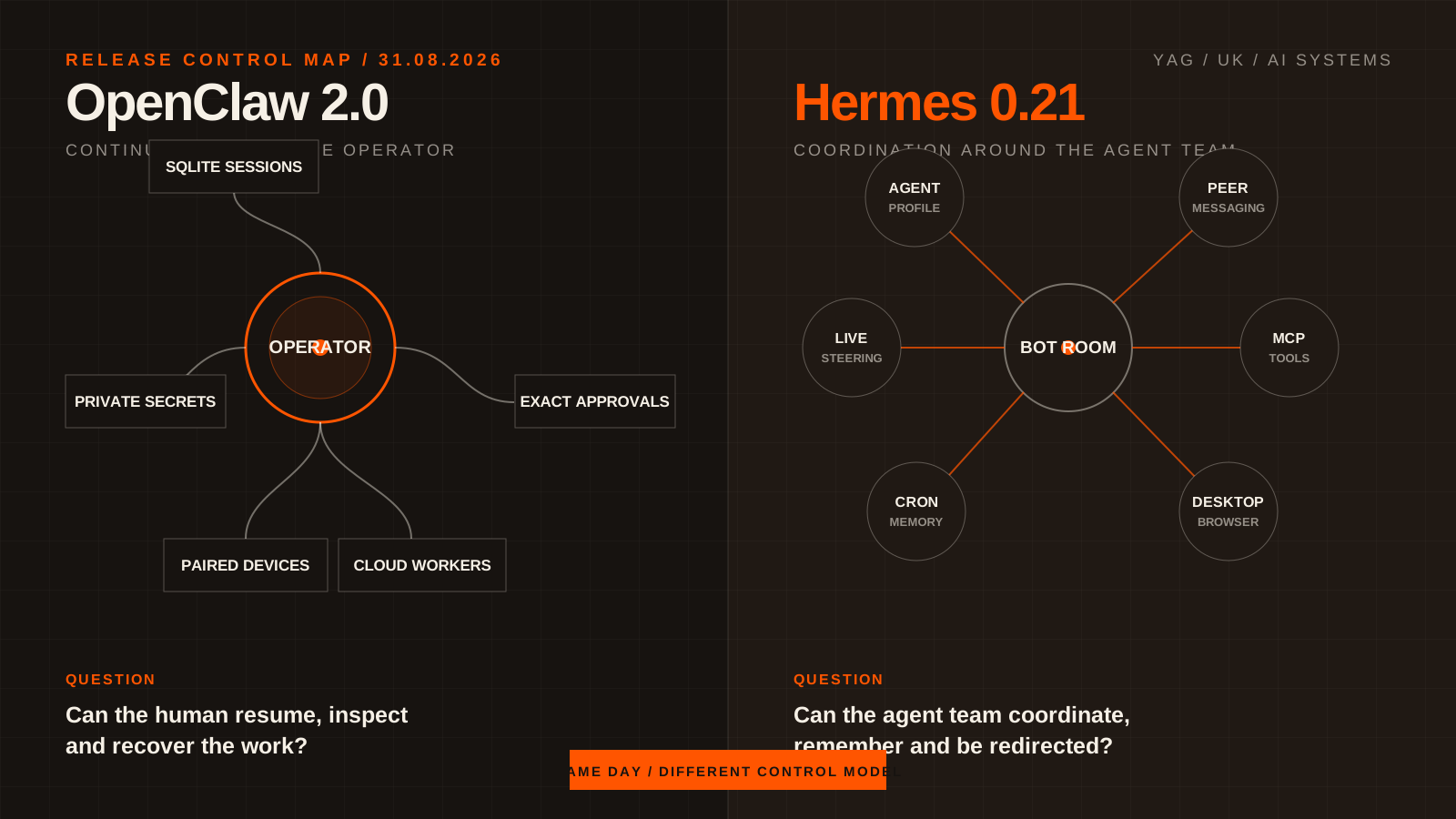
Two agent systems, two centres of gravity. OpenClaw organises durable work around the operator. Hermes organises durable work around a team of agents.
The answer in one table
| Decision | OpenClaw 2.0, v2026.8.1 | Hermes Agent v0.21.0 |
|---|---|---|
| Core direction | A rebuilt operator experience with stronger session continuity, onboarding, memory, approvals and recovery | A configurable multi-agent system with Bot Mode, peer messaging, persistent cron and live delegation |
| Best first fit | One team needs a coherent place to run, resume, inspect and control agent work | A technical team wants several named agents, providers, tools and channels working together |
| Session model | Sessions and transcripts move to SQLite; work can extend to paired devices and cloud workers | Sessions remain part of a broader agent runtime; bots, cron runs and delegated work gain more durable continuity |
| Multi-agent model | Subagent progress and questions become easier to follow in the operator surface | Bot Mode, group rooms, hermes peer and steerable subagents make multi-agent work a headline feature |
| Credential posture | Private credential prompts keep secrets out of chat and model context; approvals can be granted to an exact recurring operation | Protected instruction files require approval, secret redaction is broader and Windows destructive commands gain approval coverage |
| Browser direction | Browser and computer use sit inside a wider controlled-session model | The agent can now drive the browser embedded in Hermes Desktop |
| Operational burden | Lower if your goal matches OpenClaw's product shape | Higher, but with more choice over models, providers, profiles, gateways and deployment |
Both are open-source agent systems that can use tools and run substantial work. That shared category is where the easy comparisons end.
What OpenClaw 2.0 actually changes
OpenClaw v2026.8.1 is an unusually broad release. The official notes cover installation, the web interface, maintenance, messaging, memory, skills, native apps, models, automations, browser use, plugins, security and reliability. Calling it a visual refresh would miss the important part.
Sessions become infrastructure, not loose files
OpenClaw now stores sessions and transcripts in SQLite. That is a material architectural change, not housekeeping. It supports stronger recovery and continuity, but it also creates a migration boundary: sessions created after the move will not appear in an older file-backed release unless the documented recovery path is used.
This is why the release notes insist on a verified backup before a major upgrade. A code rollback and a state rollback are not the same operation. The safe order is to preserve state, update code, run health checks and restore state only if the older code genuinely cannot read the new database or configuration.
The web interface becomes the operator surface
The rebuilt Control UI makes past conversations searchable, restores surrounding context when a result is opened and gives long-running sessions a durable progress card. Agents can ask structured questions through option cards, buttons, free text or a skip action instead of forcing every approval into an unstructured chat reply.
Interactive results can become widgets and dashboards with explicit network origins and actions. That matters because a useful agent system needs more than a transcript. It needs a place where a human can inspect state, understand what is waiting and act without guessing which message contained the control.
Work can leave the Gateway without losing the thread
Paired devices and cloud workers extend sessions beyond the original Gateway. The release adds ways to move a workspace, warm a machine and seed a project before the next part of the task starts. Subagent activity and edits can be followed while the parent session continues.
This is OpenClaw's main thesis in 2.0: the agent should survive the change of surface, machine or session without making the operator reconstruct the work manually.
Credentials and recurring approvals get narrower
Private credential requests use a masked prompt and keep the secret out of the visible chat and model context. An optional proxy can limit where substitution occurs. Recurring automation approval can be granted to an exact operation, inspected later and revoked; changing the job or operation requires fresh approval.
That is a better security primitive than a broad “always allow”. It still depends on correct configuration, least privilege and a serious review of every connected tool.
Read the official OpenClaw 2.0 release notes.
What Hermes Agent 0.21 actually changes
Hermes Agent v0.21.0 is called “The Pantheon Release”. The name is apt. Version 0.20 made voice, A2A messaging, signed webhooks, cited research and richer desktop work central to Hermes. Version 0.21 turns those capabilities into a more visible multi-agent operating system.
Bot Mode turns profiles into a team
Bot Mode is now built into the desktop app and enabled by default. Agent profiles receive names and deterministic avatars, appear in a shared roster and can join group rooms where people and bots talk together. This is not only presentation. It gives multi-agent systems a durable social surface that ordinary teams can follow.
The new hermes peer command lets one Hermes agent message another by handle across profiles and gateways. Replies land in canonical Bot Chats, so the hand-off remains inspectable instead of disappearing into a background task.
Cron jobs remember what happened last time
Scheduled work gains persistent memory, a durable notepad and an optional continuity=true mode that carries one run into the next. Monitor-mode jobs can skip a model call when nothing changed. Output can land in a bot's canonical conversation, where the bot can respond.
That makes recurring work less wasteful and less repetitive. A daily monitor can remember what it already reported instead of rediscovering the same state every morning.
Delegation can be steered while it runs
Hermes can list active child agents, steer one mid-flight or stop it while retaining a partial result. Delegated work can also return against a JSON schema and surface cost per delegation.
This closes one of the weakest parts of many agent frameworks. Fire-and-forget delegation is impressive in a demo and painful in real work. Live steering makes correction cheaper than restarting the entire chain.
MCP becomes an operational surface
The desktop app now brings MCP servers and the catalogue into one command centre. It includes import flows, background health checks, re-authentication prompts, usage and schema-token estimates, plus hermes:// deep links that require confirmation before installation.
The release also expands provider choice and lets operators override model metadata such as context windows or pricing. This flexibility is valuable, but it also means the operator owns more compatibility and cost decisions.
The desktop browser becomes an agent tool
Hermes can now navigate, click and read the browser inside its own desktop app. That shortens the distance between a conversation, a web task and the evidence shown to the human watching it.
The same release hardens protected instruction files, redacts more secret-bearing output and brings destructive Windows commands under the approval system. Those controls are important because an agent with a browser, shell, files and peer agents has a large attack surface.
Read the official Hermes Agent v0.21.0 release.
Same release day, different product philosophy
OpenClaw 2 and Hermes 0.21 overlap across sessions, memory, automation, subagents, browsers, messaging and tools. The difference is where each product places the centre of gravity.
OpenClaw 2: continuity around the operator
OpenClaw's strongest ideas start with a person trying to understand and control ongoing work. Searchable history, structured questions, durable progress, private credential prompts, precise recurring permissions and recovery-aware storage all serve that operator.
The system can distribute work across devices and workers, but the experience keeps pulling state back into one controllable session model.
Hermes 0.21: coordination around the agent team
Hermes starts with persistent agents as actors. They have profiles, rooms, peers, schedules, memory, tools, models and gateways. The human can join that society, direct it and inspect it, but the architecture is deliberately more plural.
That is more expressive. It is also easier to overbuild. A team that needs one reliable research workflow does not automatically need ten agents, six providers and twenty MCP servers.
Architecture: where does work live?
The most useful buying question is not “which agent is smarter?” The model can change in both systems. Ask where state, authority and recovery live.
| Boundary | OpenClaw 2.0 | Hermes Agent 0.21 |
|---|---|---|
| Conversation state | SQLite-backed sessions and transcripts with a rebuilt search and resume experience | Session database inside a configurable agent runtime with profiles, bots and multiple surfaces |
| Long-running work | Durable progress around sessions, subagents, paired devices and cloud workers | Delegated agents, Kanban patterns, cron continuity, bot rooms and peer messaging |
| Human intervention | Structured questions, progress inspection, action controls and exact-operation recurring approvals | Mid-flight steering, stop with partial result, approval checks, command status and desktop controls |
| Tool topology | Skills, plugins, browser and computer use organised around the Gateway and Control UI | Tools, MCP servers, plugins, providers and gateway surfaces organised around agent profiles |
| Recovery | Explicit backup, doctor, health and SQLite migration guidance | Pre-update state snapshots, update receipts, config migration checks and install-method-aware updates |
If you are choosing for a business, draw these boundaries before testing either product. Which system owns the session? Which machine owns the credentials? Who can approve an action? Where is the audit trail? What survives a restart? What gets lost when a model or provider changes?
Security: neither release removes the operator's job
Both releases make serious improvements. Neither makes broad access safe by default.
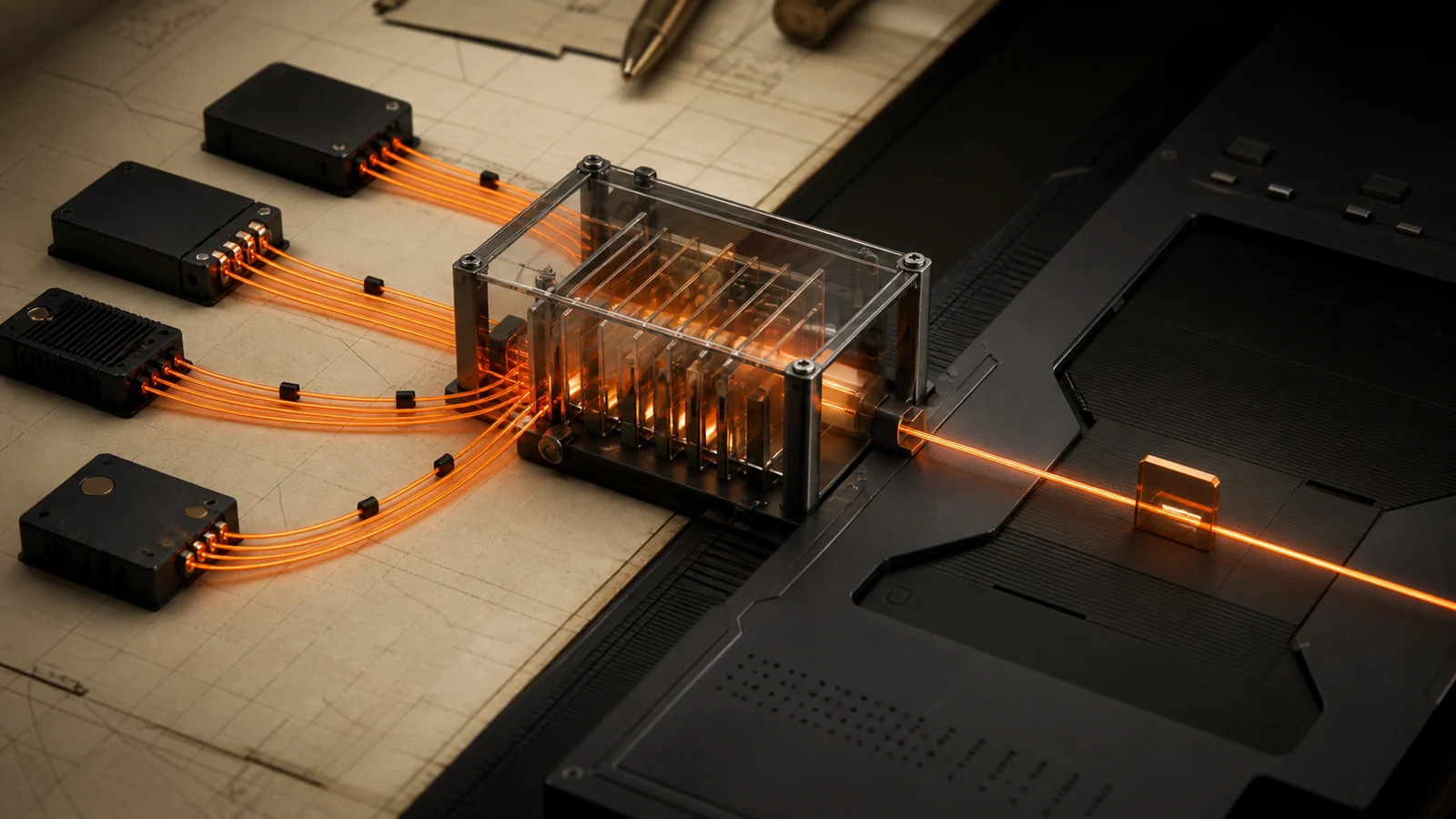
Autonomy becomes operational only when permissions, inspection and recovery sit between the agents and the consequential action.
OpenClaw's private credential flow and exact-operation approval model reduce the chance that a reusable secret or vague blanket permission becomes part of the conversation. Its update documentation also treats database migration and state recovery as explicit operational risks.
Hermes protects its own standing instructions from silent writes, broadens secret redaction and approval coverage, and removed a compromised catalogue entry in its supply-chain response. It also adds more moving parts: peer agents, gateways, MCP servers, browser control, plugins and provider routes.
For either system, the minimum production checklist is:
- Use a dedicated test account with no production write access.
- Give the agent one tool and one reversible task.
- Put the approval point before the consequential action, not after it.
- Verify what is logged, what is redacted and what can be revoked.
- Test a denied action and a broken credential, not only the happy path.
- Keep a recovery copy outside the machine being updated.
How to upgrade OpenClaw safely
OpenClaw's recommended updater detects the installation type, fetches the selected release, runs Doctor and restarts the Gateway. Because 2.0 migrates session storage, treat the backup as part of the upgrade.
1. Inspect the planned update
openclaw update --dry-run
openclaw update status --json
2. Create and verify a full backup
mkdir -p ~/Backups/openclaw
openclaw backup create --output ~/Backups/openclaw --verify
Store the archive like a credential. It can contain authentication profiles and channel state.
3. Apply the release
openclaw update
4. Verify the running system
openclaw doctor
openclaw health
openclaw gateway status --deep --json
Do not use a state restore as the first response to a failed update. First try a code-only rollback that preserves current state. Restore the verified archive only when the older release cannot use the migrated configuration or database. OpenClaw updating and rollback guide.
How to upgrade Hermes Agent safely
Hermes detects how it was installed. The normal source-managed path uses hermes update; image-managed Docker installs must pull a new image instead.
1. Check the current installation
hermes --version
hermes update --check
hermes doctor
2. Run the managed update
hermes update
Hermes creates a pre-update state snapshot by default for runtime files such as pairing data, cron jobs, configuration and authentication state. Large session databases may be excluded from that lightweight snapshot, so a high-value installation still needs an infrastructure-level backup policy.
3. Check configuration and health
hermes config check
hermes doctor
For Docker, follow the image-managed path printed by Hermes, typically pulling and replacing the image instead of modifying the running filesystem. Hermes updating guide.
Which one should your team choose?
Choose OpenClaw 2 first when
- one durable operator surface matters more than a visible society of bots;
- your team needs clearer session search, resume and progress inspection;
- recurring approvals must be tied to an exact operation;
- workers and devices should extend a session without becoming separate personalities;
- recovery discipline and controlled continuity are the main adoption risks.
Choose Hermes Agent 0.21 first when
- several named agents need separate profiles, roles and conversations;
- agents need to message each other across gateways;
- scheduled work must remember previous runs;
- a technical operator wants provider, model and MCP flexibility;
- live steering and structured delegation are central to the workflow.
Evaluate both when
Your organisation has two distinct needs: a controlled operator environment for important workflows and a more experimental multi-agent lab for research, engineering or automation. Do not connect both to the same production credentials during the evaluation. Separation makes failures legible.
If your question is wider than these two releases, our Grok Bot vs OpenBot vs Hermes Agent comparison explains the difference between a managed teammate, a self-hosted policy gateway and a provider-agnostic runtime.
A seven-day pilot that produces a real answer
Do not score the products by how impressive the first prompt looks. Give each the same bounded workflow and measure the operating system around the model.
| Day | Test | Evidence to keep |
|---|---|---|
| 1 | Install or update, then run health checks | Version, install type, doctor result and recovery path |
| 2 | Complete one read-only research task | Sources used, final output and human correction time |
| 3 | Resume the task after a restart | Context retained, missing state and recovery steps |
| 4 | Delegate one subtask | Visibility, steering, partial-result handling and cost |
| 5 | Deny a tool action and break one credential | Refusal behaviour, redaction and recovery clarity |
| 6 | Schedule a repeat run | Duplicate suppression, continuity and notification quality |
| 7 | Revoke access and export the evidence | Credential removal, logs, portability and exit effort |
The winner is the system that completes the workflow with the smallest permission footprint and the clearest recovery story. A faster demo is not a safer operating model.
Bottom line
OpenClaw 2.0 is a control and continuity release. Its most important changes make sessions, credentials, approvals, workers and recovery easier for a human operator to understand.
Hermes Agent 0.21 is an orchestration release. It turns agents into a persistent team with rooms, peers, memory, schedules, live delegation, MCP operations and browser control.
There is no universal winner. There is a sharper choice:
- OpenClaw 2 for controlled continuity.
- Hermes Agent 0.21 for configurable agent teams.
Start with one reversible workflow. Prove the boundary. Then add autonomy.